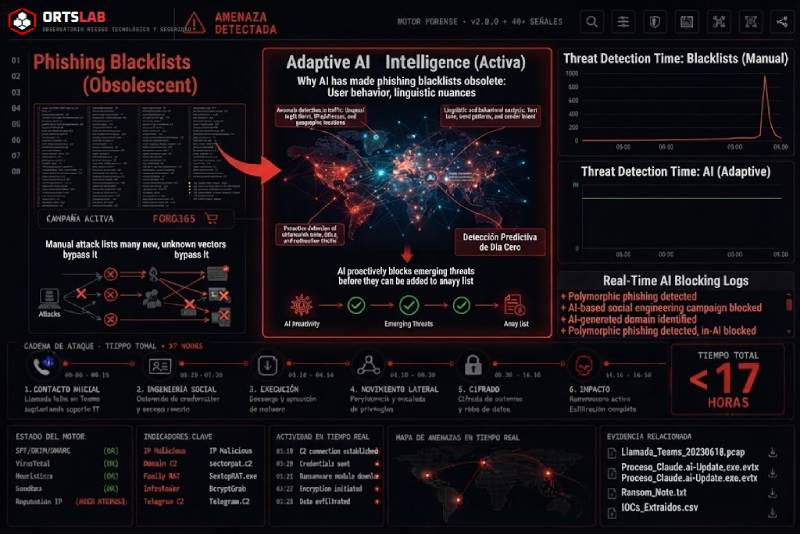
For years, the standard response to phishing was always the same: detect the malicious domain, add it to a blocklist, and block it. The system worked when attackers reused the same infrastructure for weeks. It no longer works. And artificial intelligence has finished breaking it for good.
89% of active phishing domains today last fewer than two days. By the time a fraudulent domain makes it onto a blocklist — after being detected, analyzed, reported and added — the campaign has already moved to new infrastructure and the original domain has been abandoned. Blocklists are chasing a shadow that moves faster than they can update.
🔍 Suspicious message?
Analyze senders, links or files in real time with our scanner.
What AI has changed
Attackers have always rotated domains. What has changed is the speed and cost of doing so. Generating a convincing phishing page — with the right logo, the correct form, the exact tone of the impersonated brand — used to take time and skill. Now an attacker can take a screenshot of a bank's legitimate website and generate a functional clone in minutes with completely new code, leaving no recognisable pattern for static analysis systems to identify.
The result is infrastructure designed to be disposable from the outset. Attackers no longer wait to be detected before changing domain — they rotate proactively, treating each page as single-use by default. Combined with the use of legitimate platforms (Cloudflare Workers, Google Firebase, SharePoint, Adobe, Jotform) to host malicious content, the domain the victim sees can have an impeccable reputation that no blocklist would ever flag.
The problem with signature-based detection
When domains stopped being sufficient to identify phishing, the industry's response was to detect by kit signature — analyzing JavaScript structure, HTML patterns, code fingerprints. An identified phishing kit could generate detections that survived even as infrastructure rotated.
That layer of detection is also eroding. Phishing kits fork, fragment and are modified with AI assistance at a pace that makes maintaining up-to-date signatures impossible. Device code phishing — a technique that abuses the OAuth authentication flow for browserless devices — went from being an exclusive tool of state espionage groups to being available in more than 25 distinct criminal kits in under two years. Each kit has its own code, its own variants, its own fingerprints — and no signature list can cover them all in time.
What doesn't change: the technique
Domains rotate. Kits fragment. Infrastructure gets abandoned. But the mechanics of attacks don't change at the same speed.
An adversary-in-the-middle (AiTM) attack — the type of phishing that intercepts the user's session in real time to capture credentials and MFA tokens — always works the same way, regardless of which kit implements it or which domain serves it. The attacker acts as a proxy between the victim and the legitimate service, relaying credentials in real time. The infrastructure changes; the mechanics don't.
The same is true of ClickFix — phishing that injects malicious commands into the user's clipboard and instructs them to paste and execute the payload. The visual wrapper varies (a fake CAPTCHA, a browser update prompt, an error screen), but the behaviour is always the same: the user copies a command they didn't write and executes it believing it solves something.
Detecting by technique rather than by indicator is what allows a detection to survive infrastructure rotation, kit proliferation and signature fragmentation. It doesn't matter which domain the attacker uses if the system detects that an OAuth session interception is taking place. It doesn't matter which kit was used if the system detects that the user just pasted and executed an injected command from their clipboard.
What this means for message analysis
Analysis based exclusively on blocklists — "this domain appears in known phishing databases" — has an increasingly narrow detection window. Fraudulent domains that have been active for fewer than 48 hours, those hosted on legitimate trusted platforms, or those generated with completely new code and no recognisable signatures can slip through systems that only compare against what is already known.
Forensic, behaviour-oriented analysis — which examines whether the sender's authentication is consistent with who they claim to be, whether the domain's age is incompatible with the entity it impersonates, whether the message structure replicates the social engineering patterns of active campaigns, whether URLs pass through redirect chains designed to hide their final destination — is more robust against new infrastructure precisely because it doesn't depend on the domain being on any list.
ORTSLAB analyses messages through verifiable technical signals: SPF/DKIM/DMARC authentication, domain age via RDAP, URL reputation, Unicode homoglyphs, social engineering patterns in the text, URL shorteners and hidden redirect chains. None of those signals depends on the domain being "known" — they depend on whether the message's behaviour is consistent with what it claims to be.
What to do when you receive a suspicious message
The evolution of phishing techniques has a direct implication for users: you cannot rely on your browser or email client to warn you in time. If the domain is fewer than 48 hours old, it is probably not on any list. If it is hosted on a trusted legitimate service, the domain reputation is beyond reproach. If the code is completely new, there is no signature to identify it.
What you can do:
- Don't act out of urgency. AI-generated phishing messages are more convincing than ever in tone and presentation — but artificial urgency remains the most consistent signal. If a message pressures you to act within minutes, that is the moment to stop, not to speed up.
- Verify the sender technically, not visually. The visible sender name tells you nothing. The real domain the message was sent from, its age and its authentication do.
- Don't click links in unsolicited messages even if the domain looks legitimate. Go directly to the service's website by typing the address into your browser.
- Analyse the message before interacting with it. If you have doubts, paste it into ORTSLAB before opening anything.